Global MyB2B
FinTech · Mobile App · B2B

Global MyB2B

Corporate mobile banking for Cathay United Bank — role-based UX built for accountants and finance managers

Client
Cathay United Bank
Agency
Cloud Interactive
My Role
UX + UI Designer
Timeline
2018 – 2020
Platform
iOS / Android
Project Type
New Product
01 · Problem Statement

Solutions of banking app for corporate users

Corporate banking users had no mobile-first tool that matched the complexity of their daily workflows. The existing experience lacked role clarity, flexibility, and visibility into payment status.


Mobility & Promptness
Enable corporate banking tasks anytime, anywhere — without sacrificing speed or accuracy.
Flexible Customization
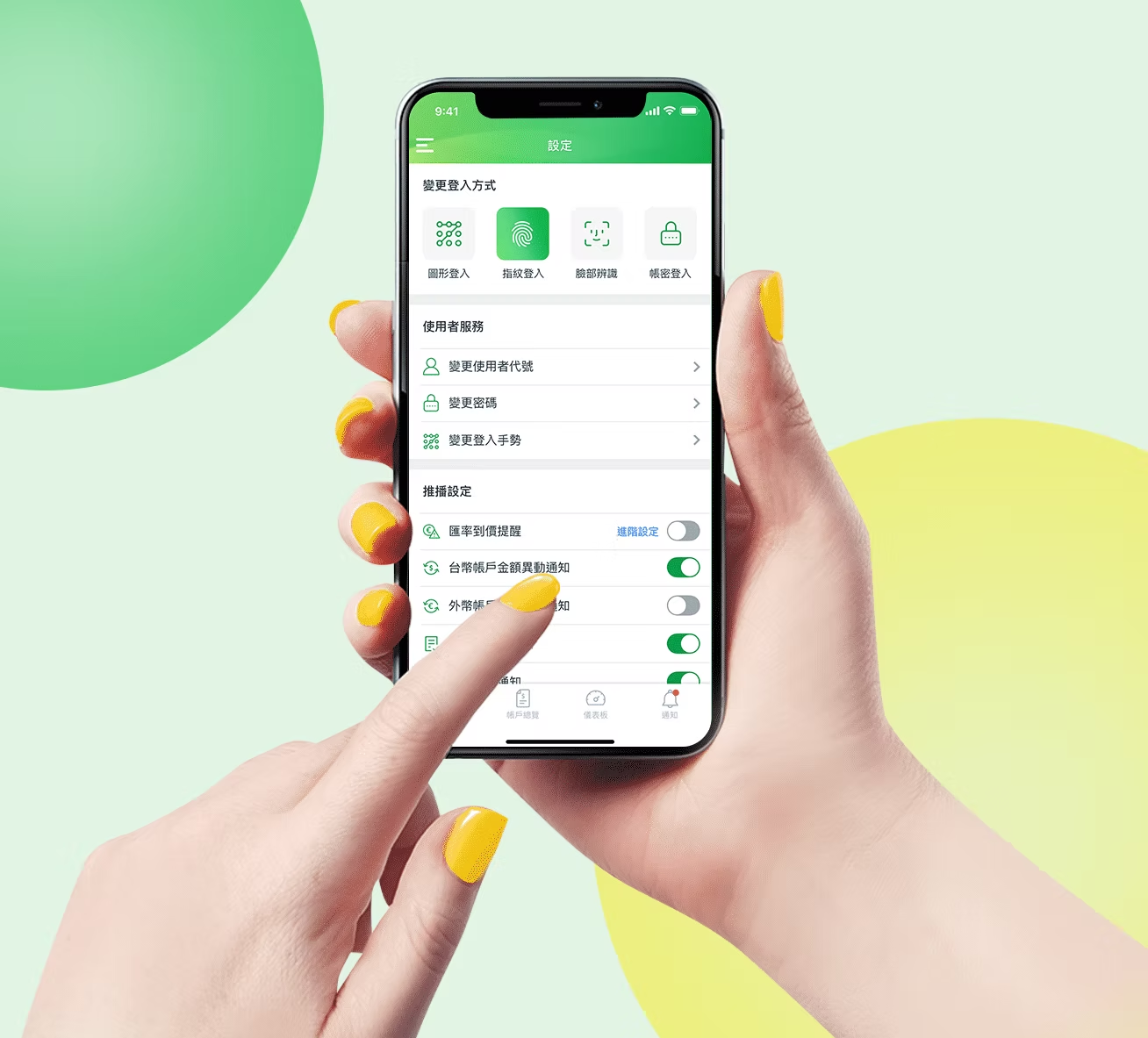
Let each user personalise their most-used functions based on their actual role and daily habits.
Classification of Payment
Organise payment items by category and status so nothing gets missed or mis-tracked.
02 · User Research

Persona for corporate users

Two distinct role types emerged from stakeholder interviews — each with different priorities, access levels, and pain points.

Jane Doe
JANE DOE
Accountant

To be able to check balance anytime, and review the trading history is important. Need to set up payment reminders and low balance notifications.

Josie Doe
JOSIE DOE
Finance Manager

Need a review list of pending deals, and to be reminded to approve and decline in time. Items need clear amounts and timely pending-approval reminders.

03 · Design Solutions

Information hierarchy made personal

Rather than one homepage for all, each user is directed to a role-specific view on login. The information hierarchy is reordered based on what each role actually needs to act on first.
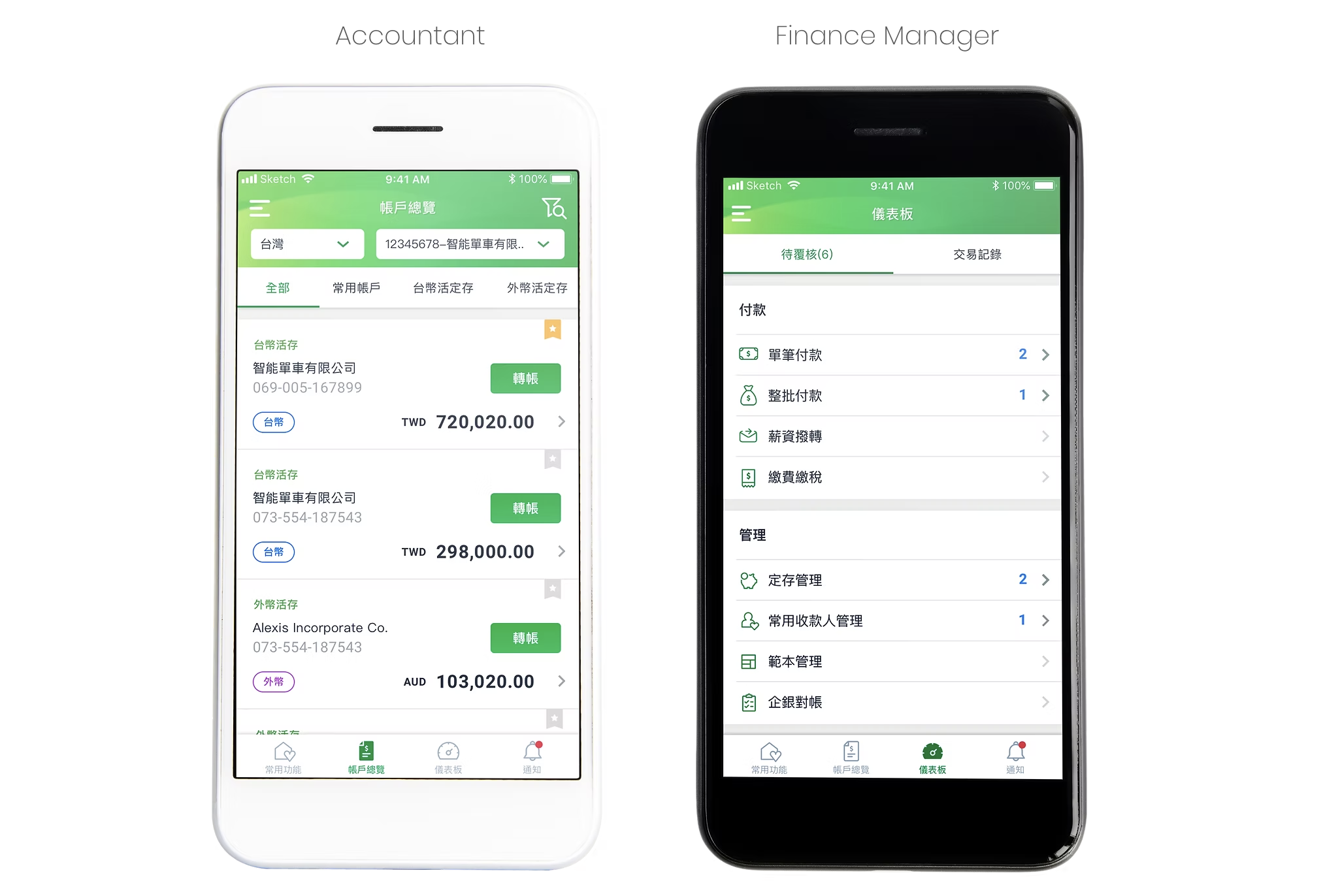
Role-based homepage — Operator vs. Manager views
  • Direct to individual homepage based on role permissions & access
  • Homepage information categorized & prioritized based on role requirements
  • Frequently used functions based on mobility needs are fixed at the bottom tab
  • Most frequently used account's access made easy
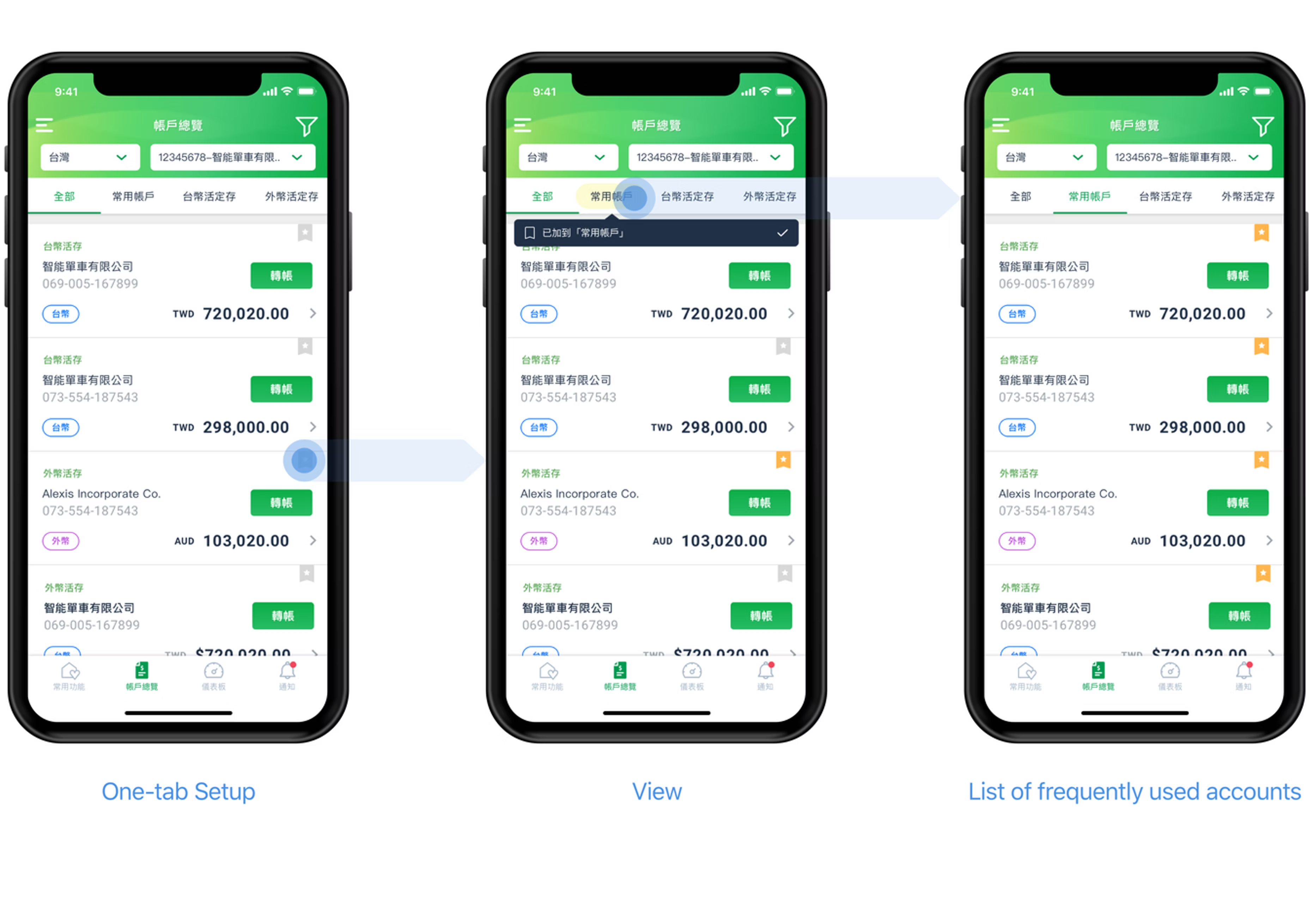
Frequently used account — access made easy
One-tab Setup — Frequently used accounts flow
  • Accounts are categorized by overview & common — currency differentiated by tabs and tags
  • Easy access to frequently used accounts — set up & remove anytime
  • Transfer flow simplified to enhance mobility needs
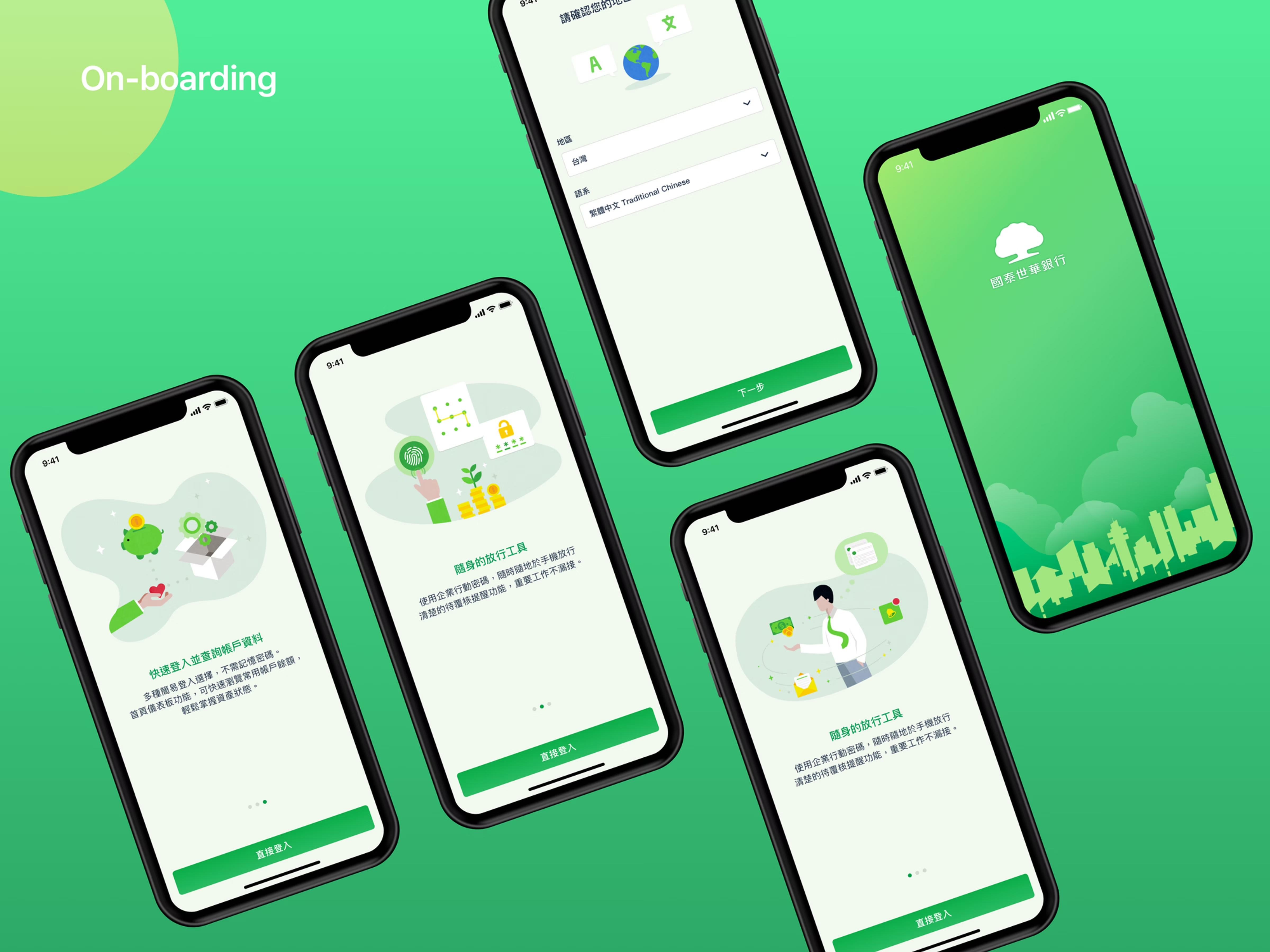
User Interface Design — On-boarding
On-boarding screens
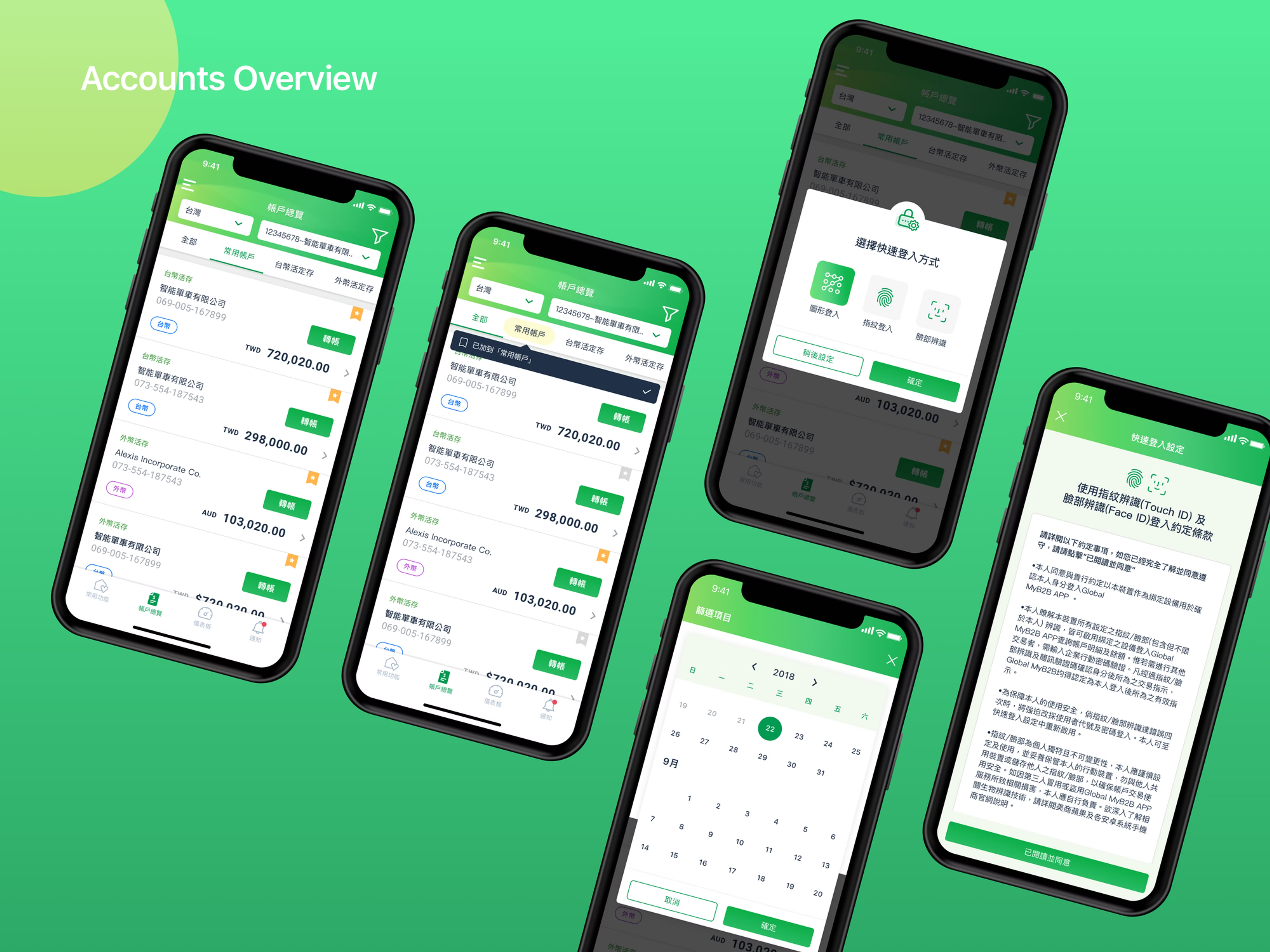
Accounts Overview
Accounts overview screens
04 · Design System

Color / Font system

Color and font system
#029A52
Primary
#027C42
Dark
#F5A623
Accent
#FFFFFF
Surface
iOS
SF Pro Text
System font — headings, body, labels
Android
Roboto
System font — consistent across all Android screens
UX Research User Personas iOS / Android FinTech Role-Based UX B2B
Next project
Fanoli
View case study